Snoopy (a working name, not affiliated with Peanuts) is a desktop cat for macOS that remembers what you hand it. Copy, drop or note something, then ask later in plain words and get answers with sources. Everything runs on the Mac.
It's a working beta, and I built it solo: product, design, macOS engineering, on-device AI integration, the landing page, and the launch video and graphics. The public waitlist is live; it isn't on the App Store yet.
The problem
- Screen-recording memory apps (like Rewind) feel invasive. Snoopy never records the screen. It keeps only what you deliberately hand it.
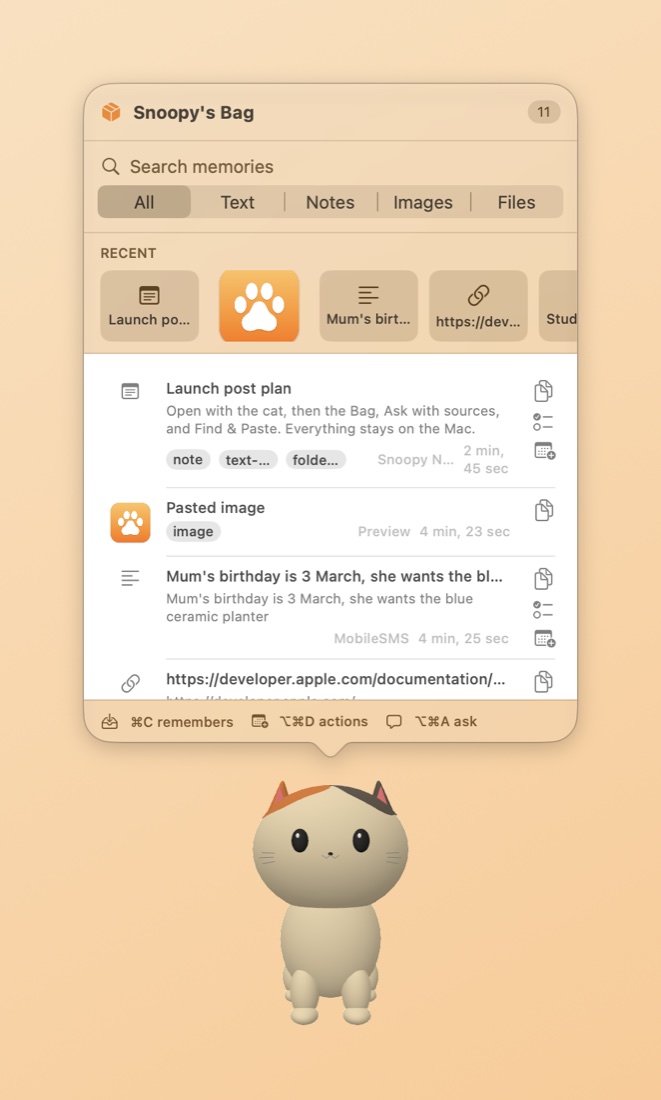
- "I saved it somewhere…" One Bag holds clips, files and notes, and ⌥⌘K Find & Paste brings any of them back.
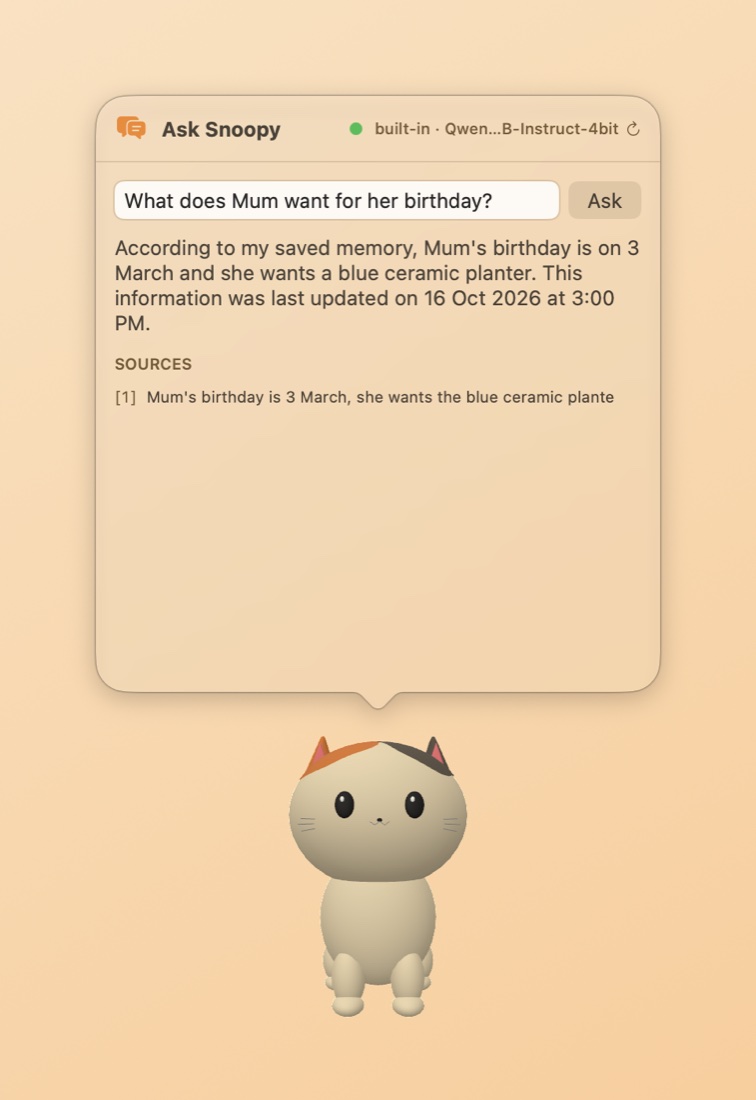
- AI assistants make things up. Answers come only from your saved memories and list the exact sources used. If it isn't saved, Snoopy says so.
- Cloud AI means your data leaves the Mac. The model runs on-device. No account, no sync.
- Clipboard managers store passwords. Secrets and password-manager copies are skipped.
What it does
- A 3D desktop pet you can rotate, move and poke. Clicks pass through the empty area around it, and it hides when apps go full screen.
- The Bag (⌥⌘B): a searchable store of saved text, files, images and notes.
- Ask (⌥⌘A): questions in plain words over your memories, with the sources shown.
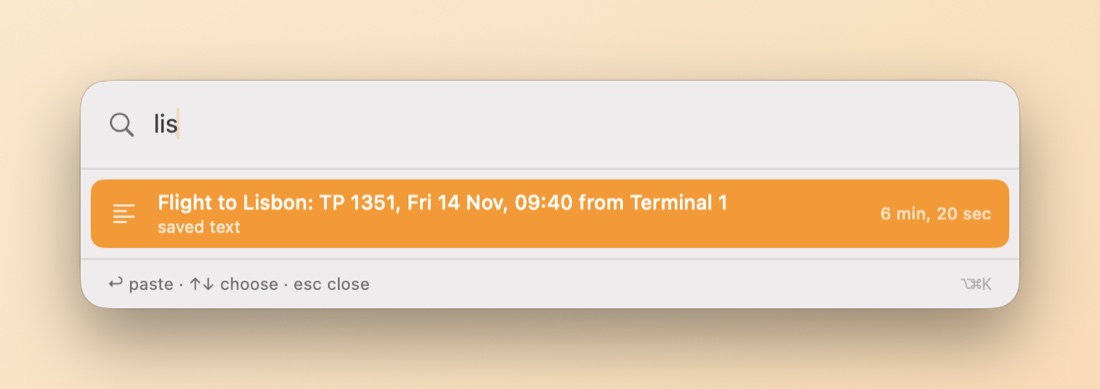
- Find & Paste (⌥⌘K): Spotlight-style search; Return pastes into the app in front.
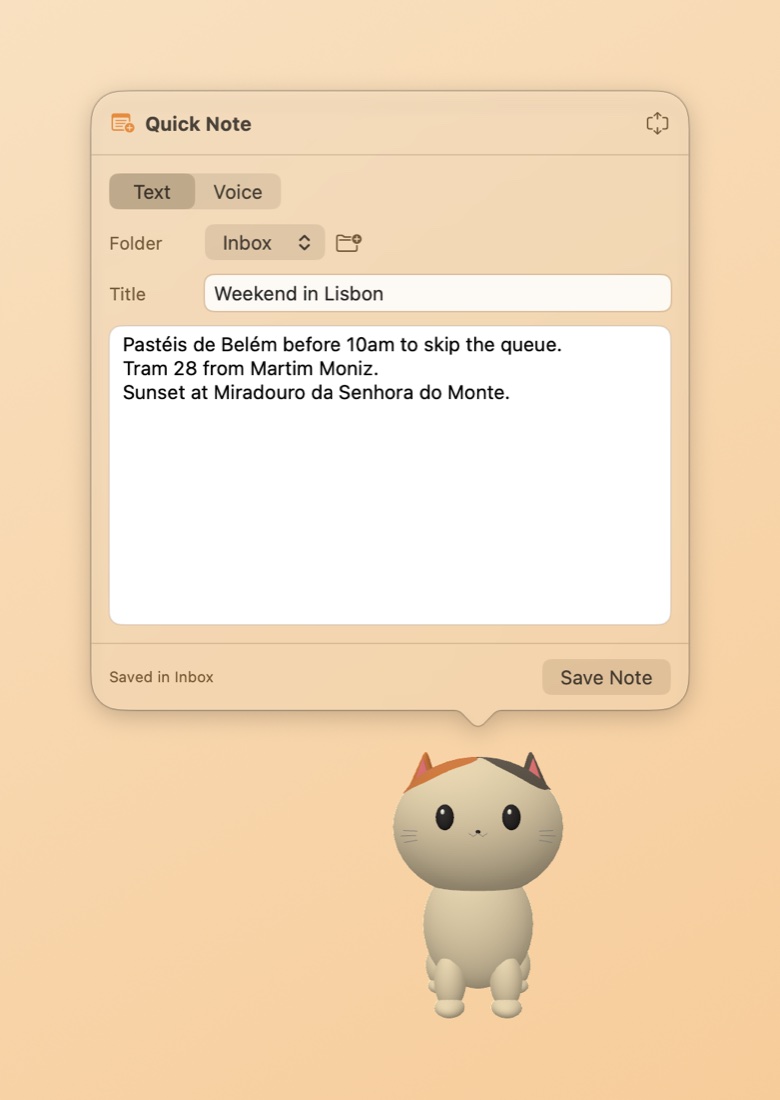
- Quick Note (⌥⌘N): typed or voice notes, transcribed on-device, in a notes library with folders and a Bin.
- Locked notes: Touch ID or passcode, encrypted on disk.
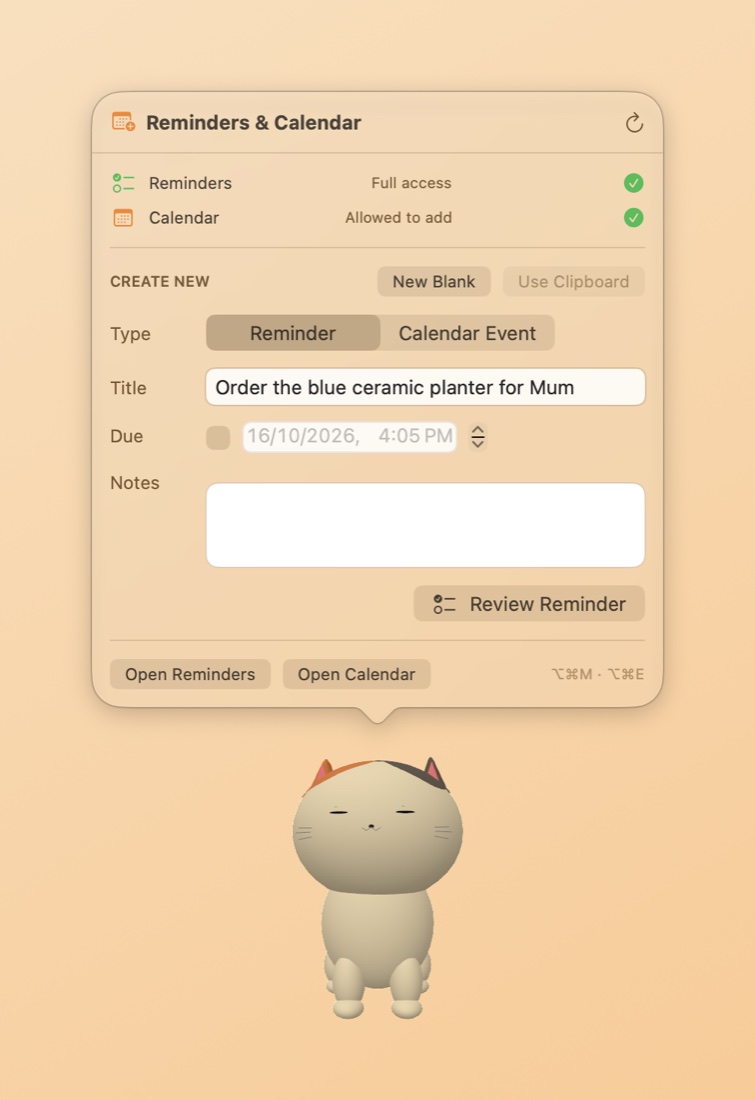
- Actions: turn any memory into an Apple Reminder or Calendar event, with the date picked up.
- Privacy controls: capture is opt-in, auto-forget after 30 or 90 days, export everything, erase all.
How it's built
Answers that show only the sources they used
Retrieval-augmented answers list only the memories the answer actually drew on: the model's own [n] citations, or otherwise the word overlap between each source and the answer.
Locked notes, sealed before they reach the database
Locked notes are sealed with AES-GCM before they're written to Core Data, and the key stays in the Keychain. Existing notes migrate transparently.
Pixel-accurate click-through
The pet's window is transparent, so the app reads the alpha of the rendered frame under the cursor: clicks pass through the empty areas but not the pet. Skipping the check while the cursor is still cut its CPU cost from about 22% to about 6%.
A search panel that pastes where you were
Global hotkeys and a non-activating search panel paste into whatever app you were using. Popovers are sized to their content before they show, so they no longer go off-screen, and every panel shares one set of design tokens.
The launch video and graphics are made in code too: screen captures, ffmpeg editing, Swift-rendered cards and an original synthesized soundtrack.
Stack
- App: Swift, SwiftUI and AppKit (menu-bar app, NSPopover panels), SceneKit (an animated USDZ pet), Core Data.
- On-device AI: MLX running Qwen2.5 1.5B (4-bit), Apple Intelligence (Foundation Models), and pluggable providers (Ollama, Claude Code / Codex CLI). Apple NaturalLanguage embeddings for semantic search.
- Voice: WhisperKit and Apple Speech for transcription.
- Security: CryptoKit (AES-GCM), Keychain, LocalAuthentication (Touch ID).
- System: EventKit, Carbon global hotkeys.
- Landing page: static HTML/CSS, Vercel serverless functions and Upstash Redis, with a strict hash-based Content-Security-Policy.
The source code is private.